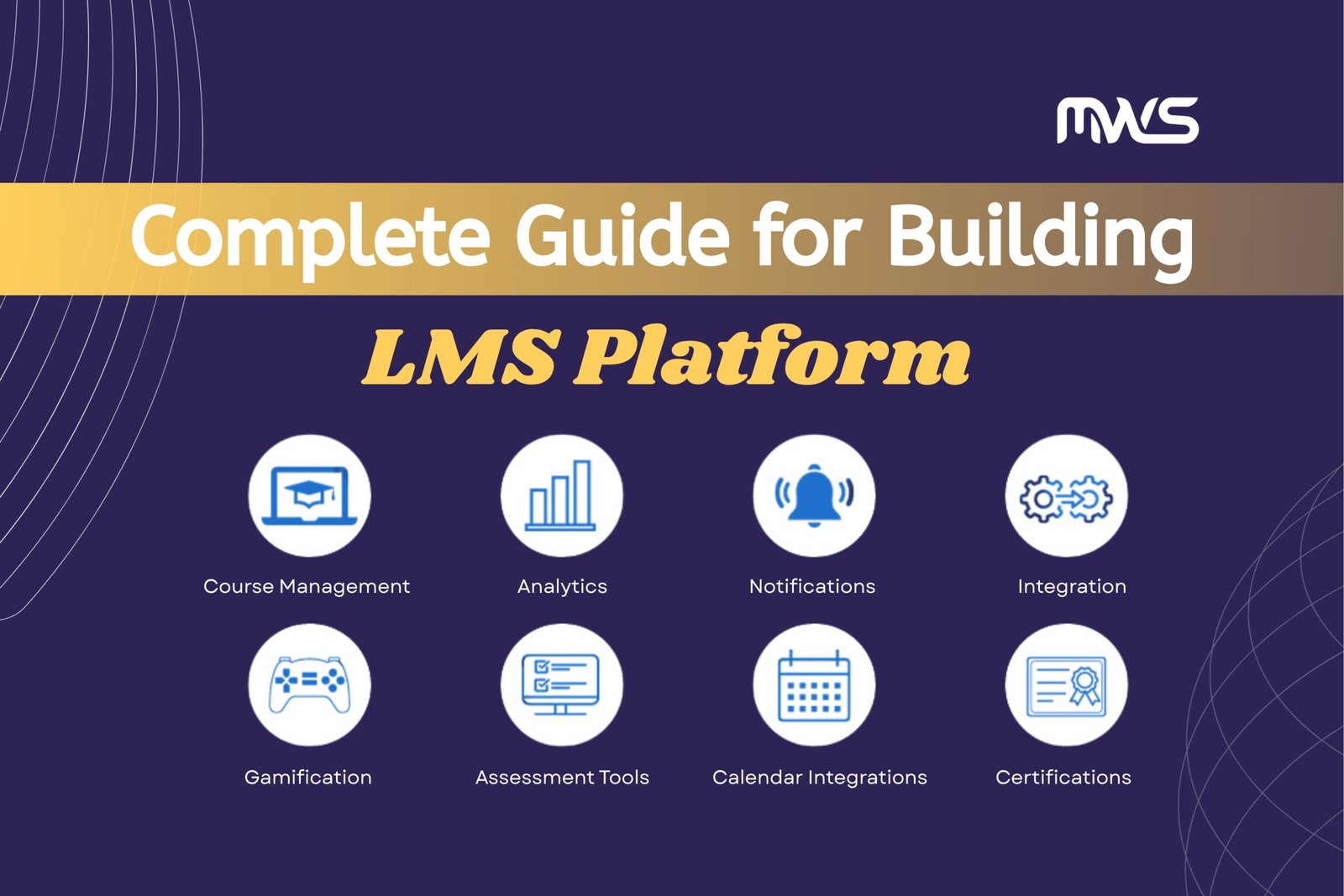
In the world of online education and training, the term LMS short for “learning management system” is everywhere. Fundamentally, an LMS is “a software application or web-based technology used to plan, implement and assess a specific learning process.” TechTarget+2LearnUpon+2 It enables course creators, educators and organisations to deliver online courses, track learner progress, manage content, generate reports, and so on. SAP+2360Learning+2
But what if you’re reading this in 2025 and you want your own custom LMS platform not just a plug-in or off-the-shelf system? What options exist, what functions you should build, and how you should do it step by step?
In this article, I will walk you through:
-
The options you have for building or acquiring an LMS (e.g., using a WordPress LMS plugin vs building a fully custom LMS)
-
The core features your LMS should have
-
A step-by-step guide for building a custom LMS platform in 2025
-
The benefits of building a custom LMS platform instead of just using a standard solution
-
What you should watch out for, best practices and tips.
Let’s dive in.
1. Options for Building an LMS
Before you commit to building a fully custom LMS from scratch, it’s wise to survey your options. Broadly speaking, you have three major paths:
1.1 Use a SaaS / ready-made LMS
There are many platforms where you simply pay for a license or subscription and use the LMS as is (or with minimal configuration). This is fast to deploy but less flexible.
1.2 Use a CMS (e.g., WordPress) + LMS plugin
If you already have a WordPress website (or are willing to build one), you can add an “LMS plugin” and convert your WordPress installation into an LMS. This gives you the benefits of the WordPress ecosystem, relative speed of deployment, and some customization, but you may hit limits. For example:
-
Many WordPress LMS plugins allow you to create courses, quizzes, integrate payments, manage learners. WPBeginner+1
-
They offer a cost-effective way to launch an LMS quickly. LMSNinjas+1
-
On the flip side, as one analysis puts it: “A custom-built LMS will be the most scalable, but given the development costs, most will find that a WordPress LMS will better suit their needs under a half-million users.” teamtangible.com
So if your needs are modest (e.g., small audience, standard workflows), WordPress + LMS plugin can be a great choice.
1.3 Build a fully custom LMS platform
This is the path we’re emphasising in this article. You design and develop your own LMS from architecture, UI, course builder, analytics, integrations tailored to your business or educational model.
Why choose this? Because you want full control, scalability, unique workflows, branding, integration with other systems (CRM, marketing, enterprise).
As one article puts it: “Custom LMS development… you are building a smart eLearning platform to multiply user engagement and conversion.” The Brihaspati Infotech
If you have ambition to grow and differentiate your learning platform, this is often the best long-term investment.
2. Core Functions of a WordPress LMS Platform
Let’s briefly review what you get (and what you should expect) when building an LMS via WordPress + LMS plugin understanding this will also help identify where a custom build goes further.
When you convert a WordPress site into an LMS, typical features you should include:
-
Course creation: ability to define courses, modules/lessons, upload content (video, text, PDF, multimedia)
-
Learner registration and user management: allow users to sign up, enroll in courses, manage their profile
-
Quizzes and assessments: built-in or plugin-provided quiz/assignment functionalities within lessons or modules
-
Progress tracking: show learners their progress through a course, mark lessons complete
-
Certificates or badges: upon completion of a course, issue certificate or badge to learner
-
Payment / monetization: if you intend to sell courses, integrate payment gateways (WooCommerce or other)
-
Membership access control: restrict courses by membership level, subscription, or one-time purchase
-
Reporting and analytics: track which learners are enrolled, which courses are completed, performance metrics
-
Integration with other systems: you’ll want to hook into email marketing, CRM, live classes (Zoom, Teams)
-
Mobile responsiveness and user-friendly UI: since learners may access via mobile devices
-
Branding and theme customization: make your LMS match your brand’s look and feel.
As per WordPress-LMS plugin commentary:
“Adding an LMS plugin to WordPress provides a seamless and cohesive learning experience… centralising course content, assignments, and communication tools within their familiar WordPress environment.” InMotion Hosting
Also, there are many LMS plugins: “11 Best WordPress LMS Plugins Compared (Pros and Cons)” shows you have choices and trade-offs. WPBeginner
Pros of a WordPress LMS platform include speed, lower cost, familiar CMS environment, many off-the-shelf plugins.
Cons include: possible scalability limitations, plugin conflicts, less flexibility for non-standard workflows, and potential performance or security issues when scaled.
When you build a custom LMS, you’ll want to match all of these core functions and probably go beyond them: e.g., custom analytics dashboards, custom learning paths, AI-powered recommendations, advanced integrations, scalability to many learners, multi-tenant architecture, deeper branding and custom UI/UX.
3. Step-by-Step Guide to Building a Custom LMS Platform in 2025
This is a suggested staged strategy for creating a unique LMS platform in 2025. Adjust according to your team, size, and budget.
Step 1: Specify your objectives, vision, and user profiles.
-
Identify your target market: who are your students?
-
Define use cases: Are you delivering compliance training? Self-paced courses? Instructor-led live sessions? Certifications?
-
Define your business model: free courses, paid, subscription, enterprise licensing?
-
Establish objectives and KPIs for engagement metrics, revenue per learner, retention rates, completion rates, and cost per acquisition.
-
Identify user personas: e.g., learner, instructor, admin, enterprise customer. Map their needs and journeys.
-
Examine the market to determine what features you wish to offer that current LMSs (including WordPress plugins) might not have.
Step 2: Map required features and architecture
-
Make a feature list based on Step 1 that includes things like a course builder, an LMS calendar, live class integration, recommendations for adaptive learning, a mobile app, multi-tenancy, multi-language, gamification, and more.
-
Sort features into must-have (MVP) and nice-to-have categories.
-
Create the system architecture and decide whether to incorporate mobile apps or only create a web application. Will you use AWS, Azure, or Google for your operations? Is it a monolith or microservices? Do you have multiple tenants?
-
Define data model: users, courses, lessons, quizzes, enrolments, progress, certificates, payments, analytics.
-
Define integration points: do you need CRM, payment gateway, analytics, SSO, SCORM/xAPI support?
-
Determine the technological stack by selecting the following: database (PostgreSQL, MySQL, MongoDB), front-end (React, Angular, Vue), back-end (Node.js, PHP/Laravel, Python/Django), and hosting (serverless, containers, virtual machines).
-
Consider a large number of concurrent learners, media streaming, sensitive data, and GDPR/other compliance while designing for scalability and security.
Step 3: Design UI/UX and database schemas
-
Make mockups and wireframes for the main user flows, such as the admin panel, student dashboard, instructor course builder, and mobile responsiveness.
-
Create user journeys that include enrollment, course advancement, quizzes, certificates, and feedback.
-
Create a database structure that includes tables and collections to accommodate users, roles, courses, modules, lessons, quiz results, payments, analytics, and logs.
-
Assign learner, instructor, admin, and super-admin roles and permissions.
-
Prioritize accessibility, performance, and mobile UI/UX design.
-
Select or create a theme, look, feel, and branding.
Step 4: Develop minimum viable product (MVP)
-
Set up your development environment, repositories (Git), CI/CD pipelines.
-
Develop core functionality: user registration/login, course creation, lesson upload (video/text), enrolment, learner dashboard, quiz/assessment, payment integration.
-
Build admin/instructor interfaces.
-
Build basic analytics/reporting (course completion, number of learners).
-
Implement security basics: authentication, authorization, data encryption in transit/at rest, backups.
-
Deploy to a non-production environment for testing.
Step 5: Test the MVP & gather feedback
-
Conduct functional testing (unit tests, integration tests).
-
Conduct user testing: get a small group of instructors and learners to use the platform and provide feedback.
-
Test performance: load testing for expected concurrent users.
-
Test mobile responsiveness, cross-browser compatibility.
-
Fix bugs, refine workflows.
Step 6: Deploy production version & iterate
-
Deploy to production environment, configure hosting (cloud servers, CDN for media, video streaming) and security (HTTPS, firewall, etc.).
-
Monitor performance, establish logging and metrics (uptime, user actions, errors).
-
Roll out the platform to initial users, and gather usage data.
-
Iterate: add additional features (gamification, adaptive learning, AI-powered course recommendations, multi-tenant enterprise module, mobile app).
-
Monitor KPIs and refine accordingly: e.g., boosting learner engagement, reducing drop-off, improving completion rates.
Step 7: Scale, maintain & evolve
-
As user numbers grow, scale infrastructure: auto-scaling, load balancers, horizontal scaling of microservices, media streaming optimisation.
-
Enhance analytics: build dashboards for admins/instructors with insights like time spent per lesson, quiz performance, cohort analysis.
-
Integrate more advanced features: Social learning (forums, group learning), live virtual classroom integration (Zoom, Teams, etc.), SCORM/xAPI compliance for standardised courses.
-
Maintain security and compliance: regular audits, vulnerability scans, data privacy, backups, disaster recovery.
-
Market and monetise: use marketing automation, partnerships, enterprise licensing.
-
Continuously collect user feedback and iterate UX, features, content.
Timeline estimate for 2025
According to recent research: “Custom LMS development… depends on factors including architecture, functional scope, tech stack. Simple quiz-to-LMS upgrades may take 4-6 weeks, advanced builds 6-10 weeks.” The Brihaspati Infotech
Of course, if you plan fully enterprise-grade multi-tenant scalable system, it may take several months.
4. Benefits of a Custom LMS Platform
Why go through all the effort and cost of a custom LMS rather than simply using a WordPress plugin or off-the-shelf system? Here are the major advantages.
4.1 Tailored experience & branding
With a custom LMS you can design every aspect of the user experience, brand the system exactly to your organisation, and mould the workflows to your unique pedagogy or business model. As one article states: “Stronger branding image … you create and own the brand experience.” The Brihaspati Infotech
4.2 Flexible feature set & differentiation
You are not constrained by plugin limitations or off-the-shelf functionality. You can add advanced features like adaptive learning, AI-based recommendations, custom analytics dashboards, multi-tenant enterprise capabilities, or integrate niche workflows specific to your industry.
4.3 Scalability and future-proofing
Custom builds allow you to design for scale from the beginning (whether that’s thousands of learners or many enterprise customers). You can optimise performance, architecture, media streaming, data pipelines, and build in modularity for future expansions. The WordPress plugin route may hit ceiling in large-scale scenarios. teamtangible.com+1
4.4 Ownership of data and infrastructure
When you build custom, you control your data — how it’s stored, how you analyse it, how you integrate with other business systems (CRM, marketing, ERP). You are less dependent on third-party vendors or plugin developers. This matters especially for compliance, privacy, analytics and enterprise use-cases.
4.5 Monetisation and business model freedom
A custom platform can support sophisticated monetisation models: subscription tiers, enterprise licensing, bespoke content, API access, white-label solutions, mobile apps, offline access. You are not constrained by plugin-licensing models or limitations. For example, the article about custom LMS says: “Extra growth opportunities … monetise with subscriptions, memberships, premium courses.” The Brihaspati Infotech
4.6 Integration with broader ecosystem
If your organisation already uses multiple systems (CRM, HRIS, ERP, marketing automation, video conferencing, mobile app), a custom LMS can be tightly integrated into your ecosystem — ensuring seamless data flow and user experience.
4.7 Competitive advantage
Having a unique, well-designed LMS can become a strategic asset — not just a training tool, but a platform that attracts learners, drives engagement, supports certification/credentials, builds community and becomes part of your brand identity.
5. What You Should Watch Out For & Best Practices
Building a custom LMS is exciting, but it comes with challenges. Here are things to keep in mind.
5.1 Cost & time investment
Custom development costs are higher than using an existing plugin or platform. Be realistic about budget and timeline. Ensure you have clear MVP scope and phased rollout. As noted: “Custom LMS development involves custom features… cost depends on architecture and functional scope.” The Brihaspati Infotech
5.2 Scalability pitfalls
If you underestimate future load or growth, you may end up with performance issues (slow page loads, video buffering, high server cost). Design for scalability early: caching, CDNs, load balancers, streaming optimisation.
5.3 User adoption
Even with perfect features, if learners/instructors don’t use the system, it fails. A study on LMS implementation emphasises stakeholder analysis and adoption. arXiv So make sure you build for usability, train stakeholders, get buy-in, collect feedback and iterate.
5.4 Maintenance and updates
Custom platforms need ongoing maintenance: bug fixes, security updates, media hosting, database upkeep, backups. Ensure you plan for long-term support and cost.
5.5 Standards and compatibility
If your courses might need to be exported/imported (e.g., SCORM, xAPI) or integrate with other platforms, build for standards compliance. The concept of LMS has evolved and includes such standards. Wikipedia+1
5.6 Security and privacy
Especially when you collect learner data, payment info, personal information – ensure best practices: encryption, secure hosting, GDPR (or local regulation) compliance, secure authentication, regular backups.
5.7 Performance of media
A big part of LMS is delivering video and multimedia content. You may want dedicated media hosting/CDN, streaming capability, adaptive bitrate video. Plan for this early.
5.8 Content design and engagement
A platform is only as good as the content and pedagogical design. Use engaging multimedia, quizzes, badges, progress meters, social learning, etc., to keep learners motivated. The benefits of LMS include engagement and completion. 360Learning+1
6. Summary & Final Thoughts
To summarise:
-
An LMS is the backbone for delivering online courses, tracking learners, managing content and reporting.
-
You have choices: go with a ready-made LMS, build via a CMS like WordPress + LMS plugin, or build a fully custom LMS (which is what this article emphasises).
-
A WordPress LMS platform offers many features quickly, but may hit limitations for scale, unique workflows or performance.
-
Building a custom LMS platform in 2025 means following a structured process: vision → architecture → UI/UX → MVP → testing → deployment → scaling.
-
The benefits of custom LMS are many: branding, flexibility, scalability, data ownership, business model freedom, integration and competitive advantage.
-
But you must plan for cost, scalability, adoption, maintenance, security, content and standards.
If you follow this step-by-step guide and pay attention to best practices, you should be well-positioned to launch a high-quality LMS platform in 2025 that serves your learners, supports your business model, and grows with you.