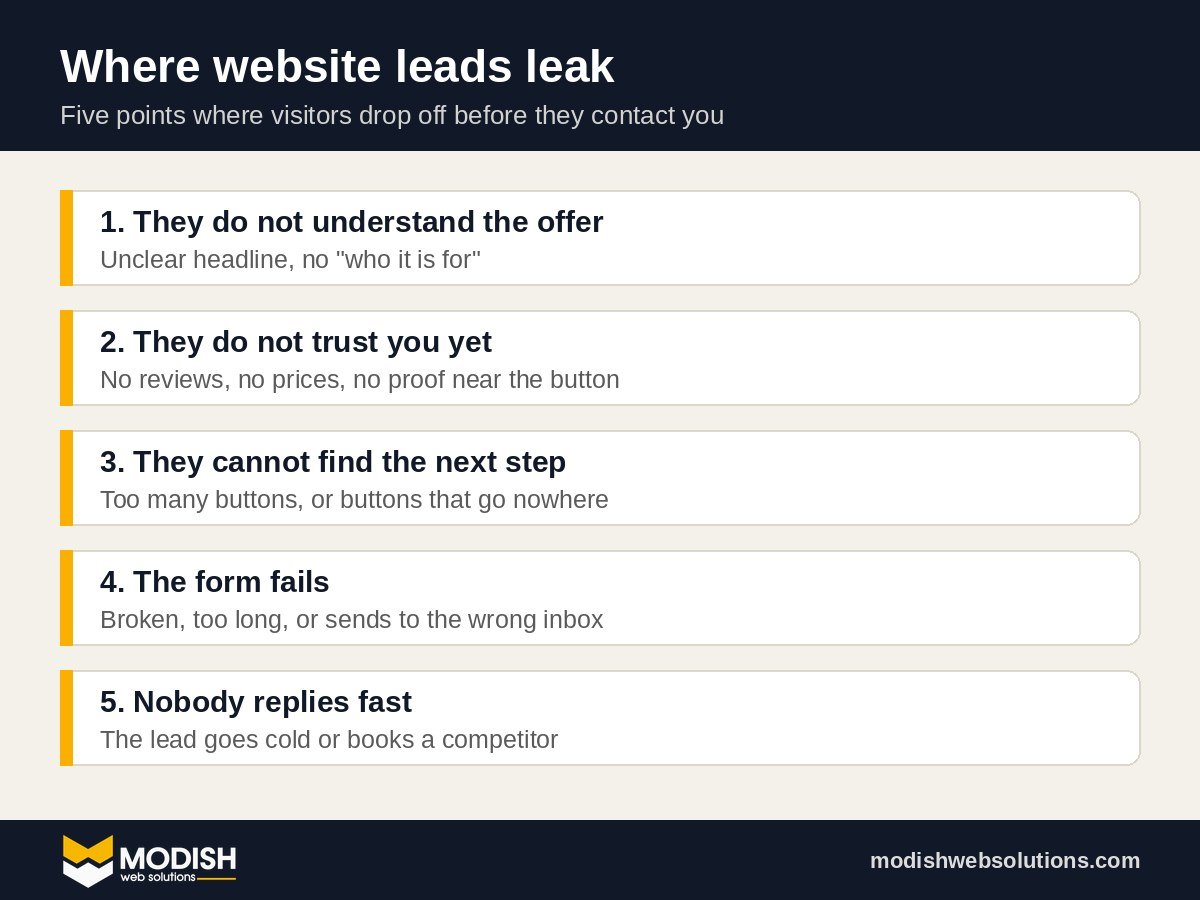
Short answer: if your website is not getting leads, the cause is almost always one of five things. The offer is unclear in the first five seconds, there is no obvious next step, the contact form is broken or too long, the site is slow on mobile, or nobody replies fast enough. Fix those five and most small business websites start getting more leads before you spend anything extra on ads.
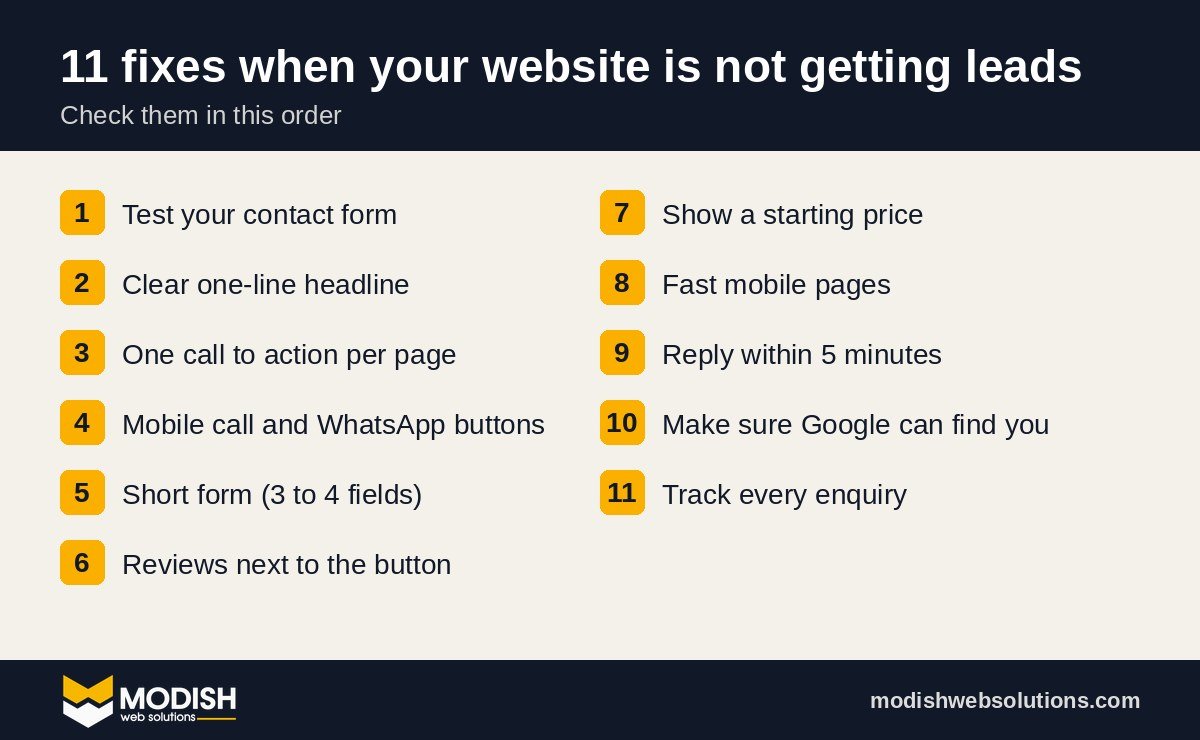
When we audit small business websites, the surprising part is rarely the design. It is usually something small and boring that quietly blocks every enquiry. Below are the 11 fixes we check first, in the order we check them, plus a one-hour plan and a 30-day plan you can follow yourself.
Is your website not getting leads, or not getting traffic?
These are two different problems, and they need different fixes. Open Google Analytics, your hosting stats or Search Console and write down two numbers for the last 90 days: visitors and enquiries (form submissions, calls and WhatsApp messages).
- Good traffic, few enquiries: your website is not getting leads because something on the page stops people. Fixes 1 to 9 are for you.
- Very little traffic: the website may be fine, but nobody sees it. Start with fix 10.
A quick sanity check: divide enquiries by visitors. For a service business, if fewer than 1 in 100 visitors gets in touch, the website itself is very likely leaking leads.
1. Test your contact form today (it may be broken)
This is the first thing we check because it is the most expensive mistake. Fill in your own contact form from your phone and see if the email arrives. In one audit this month we found that every form on a client’s site was sending leads to a former developer’s Gmail address. The site looked fine. The owner thought business was slow.
Check these three things:
- The email actually arrives, and not in spam.
- It goes to an inbox someone reads every day.
- The “reply to” address is the customer, so you can answer with one click.
In the same audit we also found that the “email us” button pointed to an address on a domain that could not receive email at all. Every message sent to it bounced. If your form is not sending, follow our step by step guide: Elementor form not sending email? How to fix it.
2. Say what you do, for whom, in one line
A visitor decides in a few seconds whether they are in the right place. “Welcome to our website” or “Excellence in every project” tells them nothing. A good headline answers three questions: what you do, who it is for, and where (if you are local).
- Weak: “Quality solutions for your needs.”
- Strong: “Emergency plumbing in Leeds. At your door within 60 minutes.”
Read your home page headline out loud to someone who does not know your business. If they cannot repeat back what you sell, rewrite it.
3. Give every page one clear next step
If a page has six buttons that say different things, people click none of them. Pick one main action per page, such as “Book a free call”, “Get a quote” or “WhatsApp us”, and repeat it at the top, the middle and the bottom.
Then click every button yourself. During one recent audit we found about 50 buttons across a site that went nowhere because the link field was empty. They looked perfect. They just did not work, and no analytics tool will ever warn you about that.
4. Make it easy to contact you on mobile
Most local searches happen on a phone. On mobile, your phone number should be tappable, and a WhatsApp or call button should always be visible. Many customers would rather send a quick WhatsApp message than fill in a form, especially outside office hours. A floating WhatsApp button in the corner of every page is one of the cheapest ways to get more leads from the visitors you already have.
5. Shorten the contact form
Every extra field loses people. For a first enquiry you usually need name, email or phone, and one short question about what they need. Ask for budget, company size and everything else on the call, not in the form. If you need to qualify leads, use one dropdown (for example “Which service do you need?”) instead of five text boxes.
6. Show proof near the button
People hesitate right before they click. That is where proof belongs. Put two or three real reviews, a star rating or a short client video next to your main call to action, not hidden on a separate testimonials page.
Use real names and real reviews only. Copied, duplicated or invented reviews hurt trust when people notice, and Google’s policies do not allow fake reviews. If your best reviews are on Fiverr, Google or Trustpilot, quote them word for word and link to the source.
7. Show prices, or at least a starting price
“Contact us for pricing” makes many buyers leave and ask a competitor who shows a number. You do not need a full price list. A “from” price filters out bad leads and reassures good ones. For example, we show our website and branding packages openly, starting from $449.
8. Fix page speed on mobile
If your site takes more than three seconds to load on a phone, many visitors leave before they see your offer. The usual fixes are simple:
- Turn on page caching (LiteSpeed Cache, WP Rocket or your host’s built in cache).
- Compress large images and serve them as WebP.
- Remove plugins you no longer use.
- Avoid huge sliders and autoplay videos at the top of the page.
On one WordPress site we worked on this month, turning on caching took the server response time of the home page from over 3 seconds to under 0.3 seconds. You can test your own pages with Google’s free PageSpeed Insights.
9. Reply within five minutes
This is not a website setting, but it decides whether the lead turns into a customer. The business that replies first usually wins the job. If you cannot answer every enquiry quickly, automate the first reply: an instant email or text that confirms you received the message and offers a booking link. Tools like GoHighLevel can also send a text back automatically when you miss a call, so a missed call does not become a lost customer.
10. Make sure Google can actually find you
If you have almost no traffic, check the basics before anything else:
- Search
site:yourdomain.comon Google. If nothing shows, your site is not indexed. - Set up Google Search Console and submit your sitemap.
- Give every page a unique title and description that matches what people search.
- Claim and complete your Google Business Profile if you serve a local area.
11. Track enquiries so you know what works
You cannot improve what you do not measure. At minimum, track form submissions, phone clicks and WhatsApp clicks as conversions in Google Analytics. After a month you will know which pages bring leads and which ones only bring visitors.
Real example: what a lead leak audit finds
Here is what we found when we audited one service business website this month. None of it was visible to the owner, and none of it was a design problem.
| What we found | Effect on leads | Time to fix |
|---|---|---|
| All form leads going to a former developer’s inbox | Every enquiry lost | 5 minutes |
| “Email us” address on a domain with no mailbox | Every email bounced | 5 minutes |
| About 50 buttons with no link | Clicks went nowhere | 30 minutes |
| “WhatsApp us” buttons with no number linked | Mobile visitors could not message | 10 minutes |
| No page caching | Slow first load on every page | 15 minutes |
The lesson: before you pay for a redesign or more ads, make sure the website you already have is actually able to receive a lead.
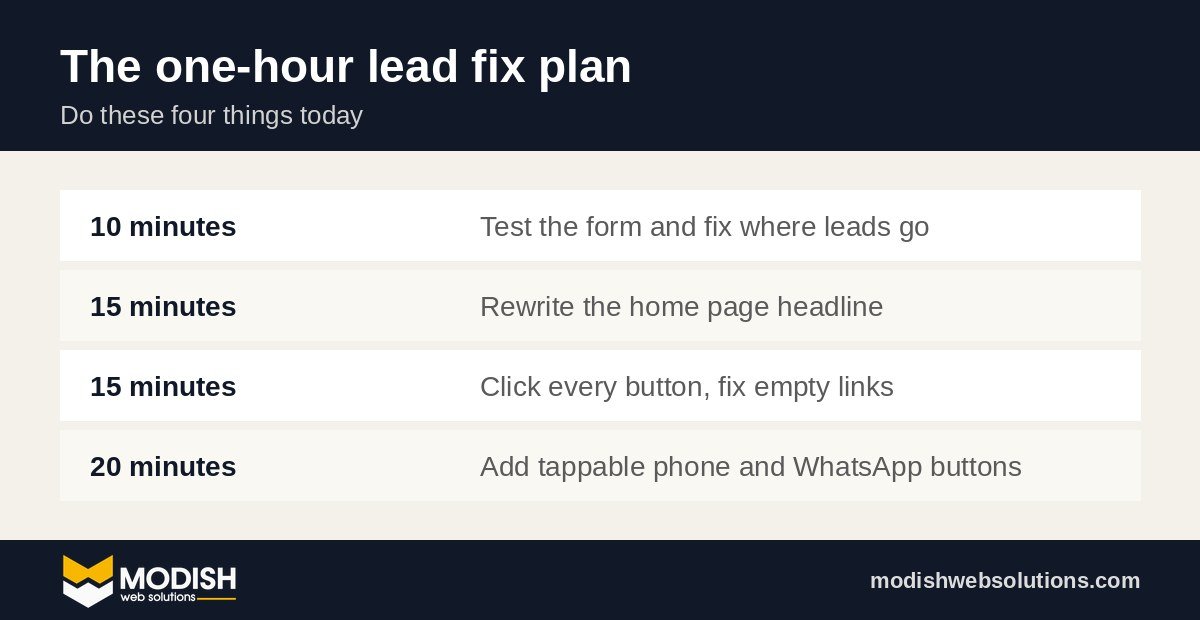
What should I fix first if I only have one hour?
- Test your form and fix where the emails go (10 minutes).
- Rewrite your home page headline in plain words (15 minutes).
- Click every button on your main pages and fix empty links (15 minutes).
- Add a tappable phone or WhatsApp button for mobile (20 minutes).
A 30-day plan to get more leads from your website
- Week 1, fix the leaks: form, email addresses, buttons, phone and WhatsApp links, page speed.
- Week 2, fix the message: headline, one main call to action per page, a starting price, and reviews next to every button.
- Week 3, fix the follow-up: an instant auto reply, a booking link, and a rule that every lead gets a reply the same working day.
- Week 4, measure and repeat: set up conversion tracking, compare leads with the month before, and fix the weakest page first.
Website not getting leads from Google Ads?
If you pay for ads and the clicks arrive but the enquiries do not, the problem is usually the page the ad sends people to, not the ad itself. Check these four things before you change your budget:
- The page matches the ad. If the ad says “Emergency boiler repair”, the page should say the same thing in the headline, not open with a general welcome message.
- The ad goes to a focused page. Sending paid traffic to your home page gives people too many choices. A landing page with one offer and one form usually converts better.
- Conversion tracking works. If the form or call tracking is broken, Google cannot learn who your buyers are, and the campaign keeps finding the wrong people.
- You exclude the wrong searches. Add negative keywords such as “free”, “jobs” or “course” if they do not match what you sell.
15-point lead leak checklist
Print this, open your website on your phone, and tick each item. Anything you cannot tick is a place where your website is losing leads.
- The contact form sends to an inbox someone reads daily.
- Test emails arrive in the inbox, not in spam.
- Every email address on the site can actually receive email.
- The home page headline says what you do and for whom.
- Each page has one main call to action.
- Every button goes somewhere.
- The phone number is tappable on mobile.
- A WhatsApp or call button is visible on every page.
- The form asks for three or four things at most.
- Real reviews sit next to the main button.
- Prices, or at least “from” prices, are shown.
- Pages load in under three seconds on a phone.
- Every enquiry gets an automatic reply.
- Your site appears when you search
site:yourdomain.com. - Form, call and WhatsApp clicks are tracked as conversions.
Website still not getting leads? Let us check it
If your website is still not getting leads after these fixes, or you would rather have someone go through this list for you, book a free strategy call. We will look at your site with you and show you exactly where the leads are leaking, whether or not you work with us afterwards. You can also see the full list of our web design, SEO and automation services.
Frequently asked questions
Why is my website not getting leads even though it gets traffic?
Usually because the offer is unclear, there is no obvious next step, the contact form is broken or too long, or the page is slow on mobile. Test your form first, then fix the headline and the main call to action.
How many leads should a small business website get?
It depends on the industry and traffic, but as a rough check, a service business should turn at least 1 to 3 out of every 100 visitors into an enquiry. Far below that usually means the website itself needs work.
Do I need a new website to get more leads?
Not always. Many sites start converting after fixing the form, headline, buttons and speed. A redesign makes sense when the site is outdated, very slow, or impossible for you to update.
How fast should I reply to a website enquiry?
As fast as possible, ideally within five minutes during working hours. If that is not realistic, send an automatic reply with a booking link so the lead does not go cold.