Short answer: in the LearnDash vs Tutor LMS decision, choose Tutor LMS if you want to start free, keep costs low and build courses from a simple front-end builder. Choose LearnDash if you are building a serious course business or a training platform that needs advanced quizzes, groups, certificates and a large ecosystem of add-ons. Both are solid WordPress LMS plugins; the right one depends on your budget, your students and how you plan to sell.
We build LMS websites for course creators, CPD providers and training companies, and “LearnDash vs Tutor LMS?” is one of the first questions clients ask. This guide compares them on the things that actually matter once your course is live: cost, course building, quizzes and certificates, selling, and growth. Prices below were checked on the official pricing pages in October 2026.
LearnDash vs Tutor LMS at a glance
| LearnDash | Tutor LMS | |
|---|---|---|
| Free version | No (48-hour free trial) | Yes, free core plugin |
| Paid pricing (Oct 2026) | Sold by Liquid Web in a bundle, from $350 for 1 site | From $199/year for 1 site, or $499 lifetime |
| Best for | Course businesses, CPD and corporate training | Beginners, small catalogues, tight budgets |
| Course builder | WordPress admin and course builder | Drag and drop builder, including front end |
| Ecosystem | Very large range of add-ons and integrations | Growing, with many features built into Pro |
What is LearnDash?
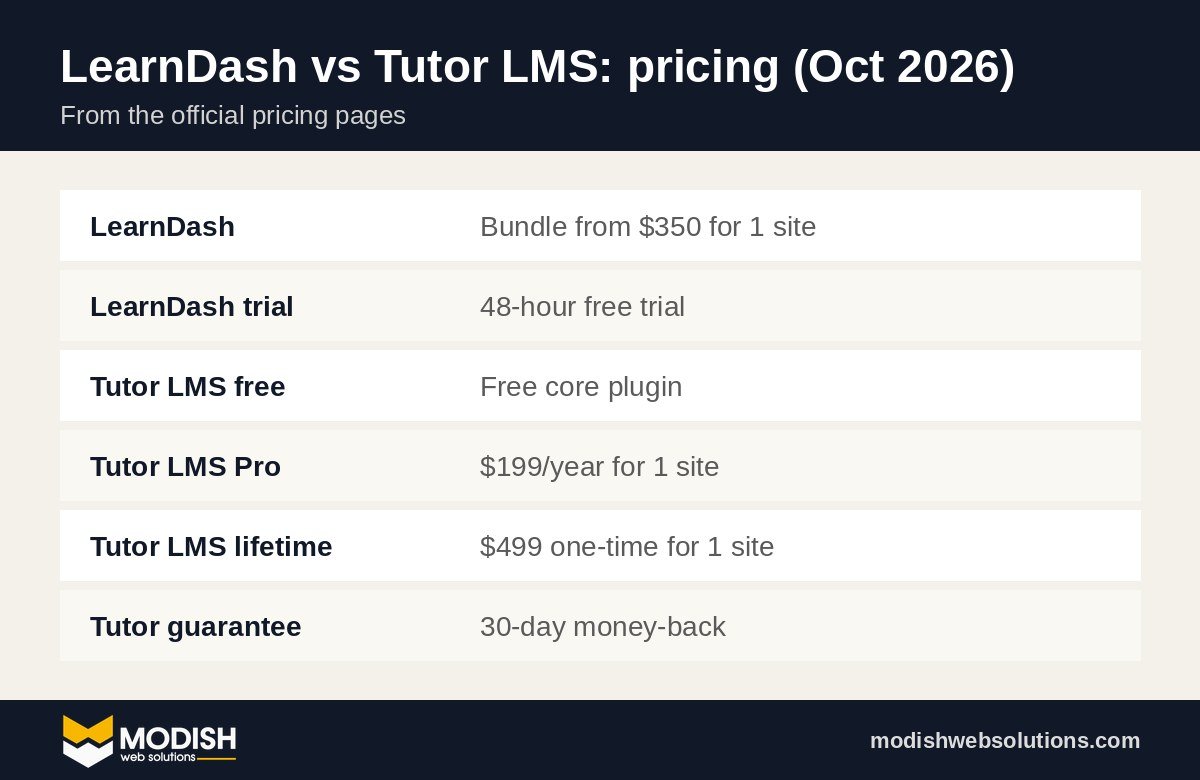
LearnDash is one of the longest-running LMS plugins for WordPress. It turns a WordPress site into a learning platform with courses, lessons, topics, quizzes, assignments, certificates, drip content and groups. LearnDash is now sold by Liquid Web. At the time of writing, its official pricing page shows a bundle that includes LearnDash together with The Events Calendar, Give and Kadence, starting at $350 for one site, with a 48-hour free trial.
Where LearnDash shines is depth. Quizzes are flexible, certificates and course points work well, and groups let you sell seats to companies or manage cohorts. Because it has been around for a long time, most membership, CRM and e-commerce tools have a LearnDash integration.
What is Tutor LMS?
Tutor LMS, made by Themeum, has a free version on WordPress.org and a Pro version with extra features. According to the official Tutor LMS pricing page, Pro costs $199 a year for one site, $399 a year for up to 10 sites, or $799 a year for unlimited sites. Lifetime licences are also available, starting at $499 for one site, and the page offers a 30-day money-back guarantee.
Tutor LMS is popular because it is easy to start with. Instructors can build courses from a front-end dashboard, and the free version already covers basic courses, lessons and quizzes, so you can test your idea before paying anything.
LearnDash vs Tutor LMS: cost compared
Cost is often the first difference people notice. Tutor LMS lets you launch for free, and its Pro plan is clearly priced per year or as a one-off lifetime licence. LearnDash has no free version and is now sold as part of a software bundle.
Do not compare plugin prices alone, though. The real cost of an LMS website also includes hosting, a theme, payment and membership plugins, email marketing, and the time to build and maintain it. On most projects, the plugin licence is a small part of the total budget. If you want a full breakdown of what an LMS website costs, our LMS development page explains what goes into a build.
Course building and ease of use
Tutor LMS is the easier start for non-technical instructors. Its drag and drop course builder and front-end dashboard mean teachers can add lessons and quizzes without going into the WordPress admin.
LearnDash takes a little longer to learn, but its course builder is clear once you understand the structure of courses, lessons and topics. Its “focus mode” gives students a clean, distraction-free view while they learn, which works well for longer courses.
Quizzes, assignments and certificates
Both plugins support quizzes, assignments and certificates. In our experience, LearnDash is stronger when you need advanced quiz logic, question banks, timed exams or detailed reporting, which matters for CPD and compliance training. Tutor LMS covers the common quiz types well and is more than enough for most skills-based or hobby courses.
Selling courses and memberships
How you plan to sell is one of the biggest factors in the LearnDash vs Tutor LMS choice.
- Single courses: both can sell individual courses, through their own checkout or through WooCommerce.
- Memberships and subscriptions: both work with membership plugins. LearnDash has a long track record with MemberPress, Paid Memberships Pro and WooCommerce Subscriptions.
- Selling to companies: LearnDash groups make it easy to sell a block of seats to one organisation and let a manager track their staff.
For example, eCare Courses, a CPD-accredited care training platform we built, runs on LearnDash together with WooCommerce and a membership plugin, because care providers buy training for whole teams, not just one learner.
Performance, support and long-term growth
Any LMS slows down if it runs on cheap hosting with too many plugins. Whichever plugin you choose, use good hosting, page caching for public pages, and keep logged-in student pages light. Both plugins are actively maintained and offer support for paying customers.
Think about where you will be in two years. If you expect hundreds of students, company clients, or complex reporting, it is cheaper to start on the platform you will grow into than to migrate later. If you are still testing your first course, the free version of Tutor LMS keeps risk low.
Which should you choose: LearnDash or Tutor LMS?
Choose Tutor LMS if
- You are launching your first course and want to start free.
- Instructors need a simple front-end builder.
- Your quizzes and certificates are straightforward.
- You want a clear yearly or lifetime price.
Choose LearnDash if
- You run a training business, CPD platform or academy with many courses.
- You need advanced quizzes, exams, groups or company seats.
- You rely on integrations with memberships, CRMs and e-commerce.
- You want the most established option in the WordPress LMS world.
Three real setups we recommend
The LearnDash vs Tutor LMS question is easier to answer when you picture the whole platform, not just the plugin. Here are three setups we commonly recommend, depending on the business.
1. A coach or expert launching a first course
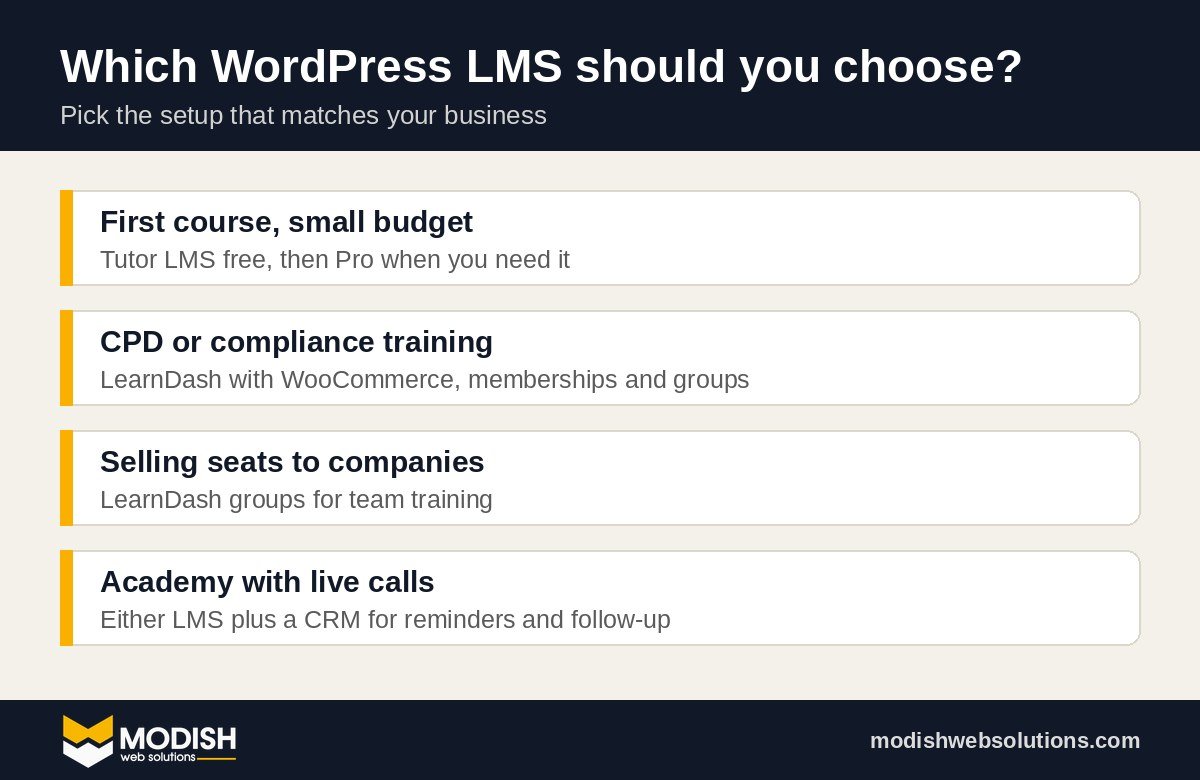
Tutor LMS (free to start, Pro when you need it), a lightweight theme, WooCommerce or Tutor’s own checkout for payments, and an email tool such as ConvertKit or Mailchimp. Low cost, fast to launch, and easy for one person to manage.
2. A CPD or compliance training provider
LearnDash for courses, quizzes and certificates, WooCommerce for payments and invoices, a membership plugin for subscriptions or credits, and groups so employers can buy seats for their staff. This is close to the setup used on eCare Courses, where care providers train whole teams.
3. An academy with live sessions and a community
LearnDash or Tutor LMS for the course library, a community tool such as BuddyBoss for groups and forums, and a CRM such as GoHighLevel to send booking reminders for live calls and follow up with students who stop logging in.
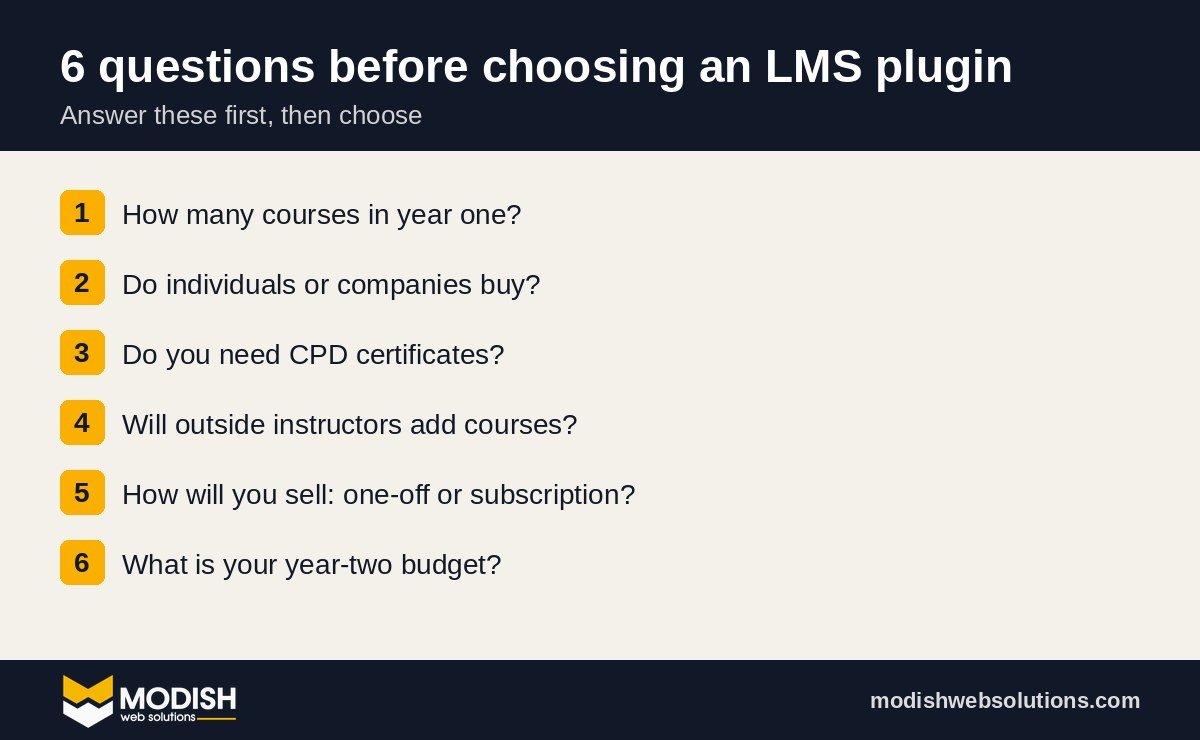
Six questions to ask before you choose
- How many courses will you have in a year? One or two simple courses point to Tutor LMS. A growing catalogue points to LearnDash.
- Who buys: individuals or companies? If companies buy seats for staff, you need group management, which is a LearnDash strength.
- Do learners need formal certificates or CPD records? Both can issue certificates, but check how you will report completions to employers or accrediting bodies.
- Will other instructors add courses? Tutor LMS’s front-end dashboard makes life easier for outside instructors.
- How will you sell? One-off payments, subscriptions, bundles and coupons all affect which add-ons you need.
- What is your budget for year two? Count renewals for every plugin, hosting and email marketing, not just the first-year price.
Common mistakes when choosing a WordPress LMS
- Choosing only on price. A cheaper plugin that cannot do what you need costs more once you migrate.
- Stacking too many add-ons. Each extra plugin adds updates, conflicts and slower pages. Use what the LMS already includes first.
- Ignoring the student experience. Test the course on a phone as a student, not only as an admin.
- Forgetting email. Welcome emails, reminders and certificates must actually reach students, so set up proper email sending (SMTP) from day one.
What about LearnPress and other LMS plugins?
LearnDash and Tutor LMS are not the only options. LearnPress is another free WordPress LMS plugin with paid add-ons, LifterLMS has a free core with paid bundles, and some membership plugins include simple course features. These can work well for smaller projects.
We still recommend comparing every LMS plugin on the same five points: how easy it is for instructors, how quizzes and certificates work, how you sell, how it handles groups or companies, and what it will cost in year two. A plugin that is cheap today but cannot handle company seats or subscriptions will cost more later, when you have to rebuild.
If you are unsure, build a quick test course with the free version of each LMS plugin you are considering. Add one lesson, one quiz and one certificate, then go through it on your phone as a student. You will learn more in an afternoon of testing than from any comparison table, including this one.
What to prepare before building your LMS website
- A clear list of courses, lessons and quizzes for the first launch.
- Your pricing model: single courses, bundles, subscriptions or company licences.
- Certificate wording, logos and any accreditation details.
- Welcome, reminder and completion emails.
- Who will add and update courses after launch.
Can you switch from Tutor LMS to LearnDash later?
Yes, but it takes work. Course content can be moved, but quizzes, student progress and enrolments need careful migration and testing. If you think you may outgrow Tutor LMS within a year, start with LearnDash. If you only need something simple, start with Tutor LMS and keep your content well organised so a future move is easier.
Need help with LearnDash vs Tutor LMS?
We design and build WordPress LMS websites with LearnDash, Tutor LMS and LearnPress, including payments, memberships and certificates. Book a free strategy call and we will recommend the right plugin for your courses before you spend anything. See our LMS development services, or read how to reduce no-shows for live sessions and coaching calls.
Frequently asked questions
Is LearnDash better than Tutor LMS?
LearnDash is usually better for established course businesses and training providers that need advanced quizzes, groups and integrations. Tutor LMS is usually better for beginners and smaller budgets because it has a free version and a simpler builder.
Is Tutor LMS free?
Yes. The core Tutor LMS plugin is free on WordPress.org. Tutor LMS Pro adds more features and, in October 2026, starts at $199 a year for one site or $499 for a one-site lifetime licence.
How much does LearnDash cost?
In October 2026, LearnDash is sold by Liquid Web in a software bundle starting at $350 for one site, with a 48-hour free trial. Check the official pricing page for the current price before you buy.
Which LMS plugin is best for CPD courses?
For CPD and compliance training, LearnDash is often the better fit because of its quiz options, certificates, groups for company teams, and integrations with membership and e-commerce plugins.
Can I use LearnDash and Tutor LMS together?
No. They do the same job and running both would create conflicts and confuse students. Choose one LMS plugin for the site and use add-ons or integrations for anything extra you need.
Which LMS plugin is easier for beginners?
Tutor LMS is usually easier for beginners because of its free version, drag and drop course builder and front-end instructor dashboard. LearnDash takes a little longer to learn but offers more depth as your course business grows.